HTML can be used to display content on a web page easily without having to spend time and money creating PDFs or Word documents.
HTML pages contain:
- a table of contents, allowing users to navigate through the page
- a print button in the table of contents which allows users to easily print your document in the layout you intended
See an example of an HTML page
Read more about creating accessible documents.
Creating your document
Firstly, you’ll need to speak to the Website Builder team to create an HTML custom post type. Contact us to discuss your needs.
Once your custom post type has been set up, log into your dashboard.
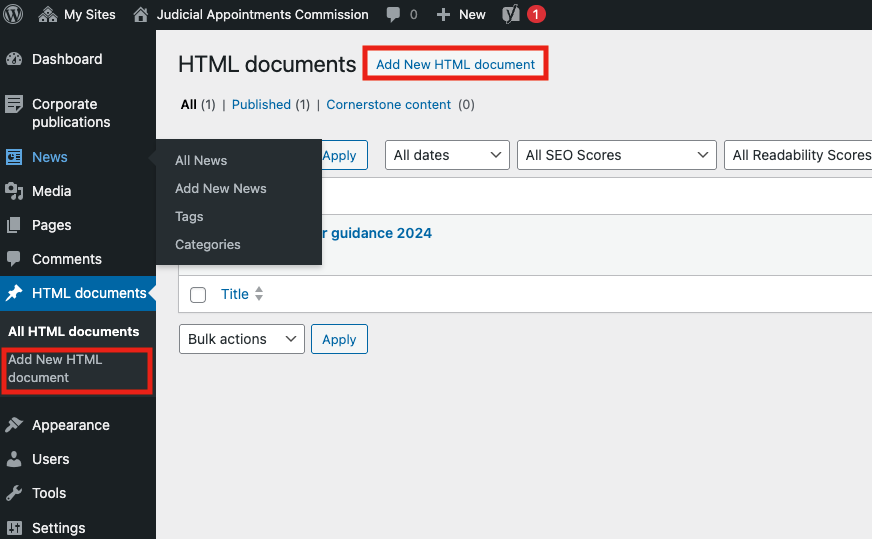
Click the custom post type in the left-hand menu (in the below example we have named it ‘HTML documents’, but this will be different for your site). From there, you’ll see the option to add a new one.
Give your new page a title, and then you can add content blocks as you would when creating a new page. You can also copy and paste content from a document into the body of the page.
Ensure that you use the correct headings and this will automatically populate the table of contents.
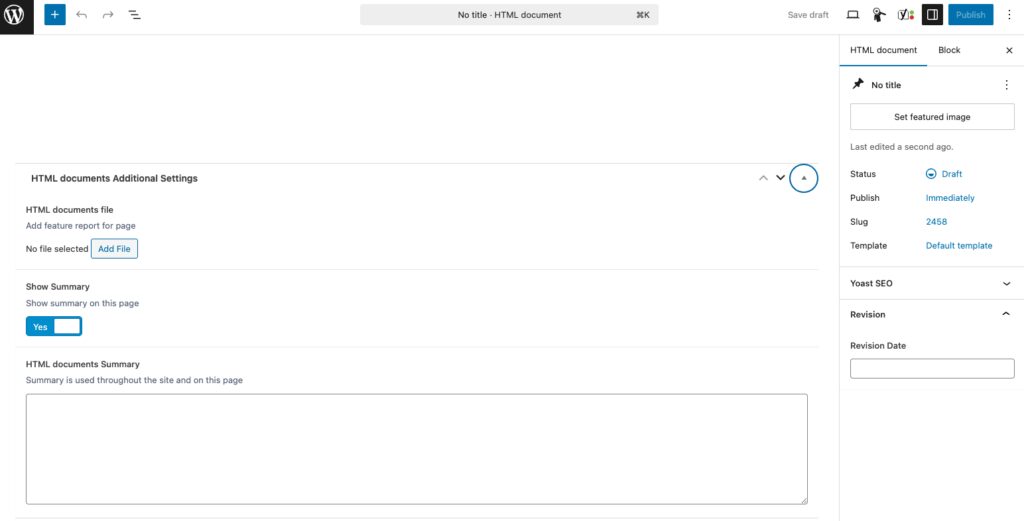
Using the additional settings, you can also add a document as an attachment as well as a summary. The summary will be displayed across the site in listings or search results.