These are basic building blocks that allows you to add text content to a page. They can also be used in combination with other blocks in customised layouts.

Paragraph
This is a paragraph block.
It’s the default block that appears when you create a new page.
There are various ways to customise paragraphs in the block settings panel on the right-hand side of the editor view.
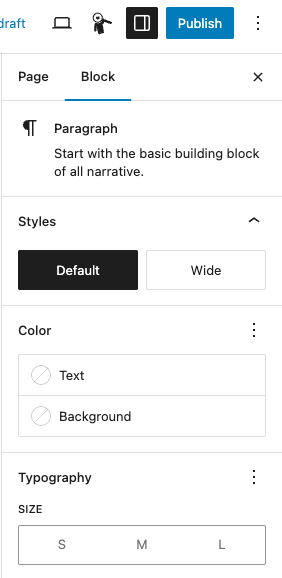
This is a paragraph with different text colour and background. But always check your colours for accessibility.
EXAMPLE
This is a paragraph block with small size typography.
This is a paragraph block with medium size typography (this is the default size).
This is a paragraph block with large size typography.

Links
To add a link into a paragraph, highlight the text and click the link icon.
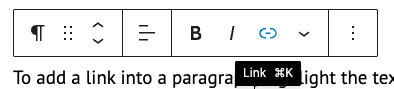
A window will open asking you to ‘Search or type URL’:
- internal links – start typing the page you’re looking for and select the page from the list of suggested pages
- external links – copy and paste the URL directly into the search bar and press ‘Enter’ or click ‘Submit’
Opening links in a new tab
For accessibility reasons, if you link to external sites, you should open the link in a new tab.
To do this, click on the link, then click on the pencil icon.
Then under the ‘Advanced’ options, select the ‘Open in new tab’ checkbox and click ‘Apply’.

Headings
EXAMPLE
This is a heading level 1 and page title
This is a heading level 2
This is a heading level 3
This is a paragraph block with large size typography.
You should not really go beneath a heading level 3. Website Builder has heading levels 4, 5 and 6, but the size does not visually change.
Always organise your content with logical, well-structured headings for accessibility reasons.
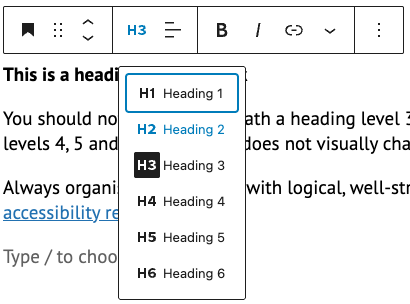
You can change the heading level in the block toolbar.
You can customise the colour of a heading block in settings.
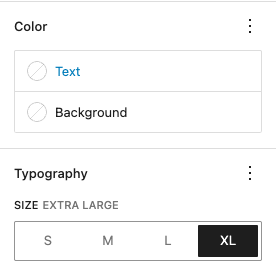
You can also customise the size headings, for example:
Heading level 2 in size extra large

List
Here’s an example of a list. In the block toolbar you can choose whether to have a numbered list or bullets:
EXAMPLE
- this is an example of a bulleted (‘unordered’) list item 1
- this is an example of a bulleted (‘unordered’) list item 2
- this is an example of a numbered (‘ordered’) list item 1
- this is an example of a numbered (‘ordered’) list item 2